
LEGACY CONNECT USB
USER GUIDE
LEGACY Connect is a plug and play USB networking device designed to help you transfer files wirelessly to your CNC machine using your existing WiFi network. No IT support, no cloud, no software installation.
Need help? Contact us
This page includes the official user guides and everything you need to know to get started with your LEGACY Connect USB.
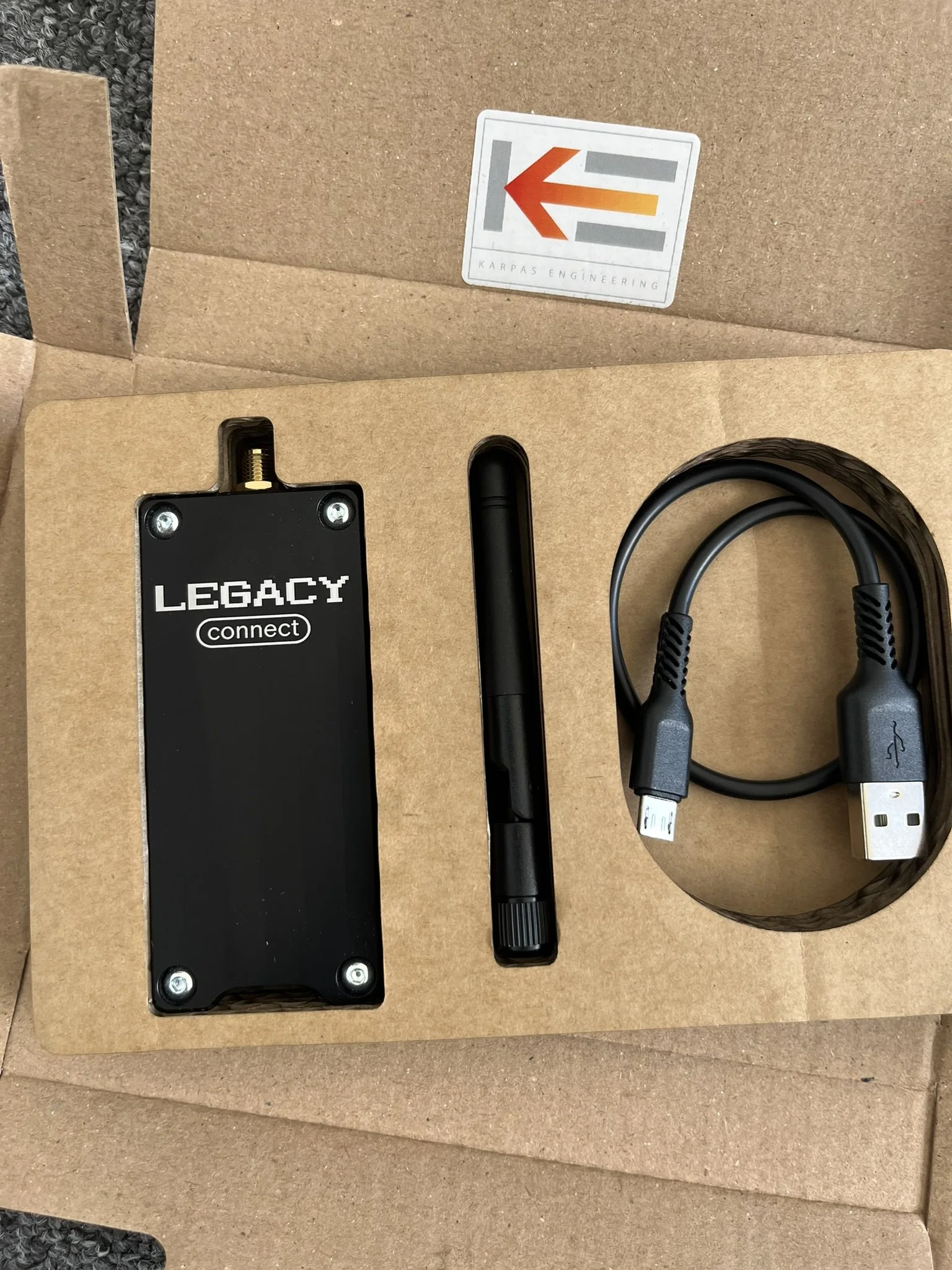
WHATS IN THE BOX
1x LEGACY Connect USB device - for wireless CNC networking and file transfer
1x WiFi antenna - for strong, reliable workshop connectivity
1x USB-A power cable - external power recommended for stable operation
Setup instructions (via QR code) - get started with CNC networking in minutes
THERE ARE 4 EASY STEPS TO SETTING UP LEGACY CONNECT USB (LCU)
1. Connecting direct to LCU via WiFi
2. Connecting to your Local Network/WiFi
3. Mapping the Network Drive on your PC
4. Plug in and enjoy wireless file transfers!
GUIDES & LINKS
LEGACY CONNECT USER GUIDE FOR PC
LEGACY CONNECT USER GUIDE FOR MAC
(COMING SOON)
LEGACY CONNECT YOUTUBE VIDEO
LEGACY CONNECT Q&A
-
LEGACY Connect USB works with any CNC machine that accepts a USB memory stick for file transfer. This includes Haas, Fanuc, Siemens, Mazak, DMG Mori, Heidenhain, and most other major controls. If your machine uses a standard USB port for G-code or .NC file uploads, it’s compatible.
We know that it is not compatibable with Haas NGC unfortunately.
-
Yes. You can post your program as normal from any CAM software, then simply save or drag the file into the USB folder on the LEGACY drive via WiFi. This allows seamless wireless transfer from Fusion 360, Mastercam, PowerMill, or any tool that exports .NC, .TXT, or .GCODE files.
-
No — LEGACY Connect creates its own private WiFi network, so no internet access is required. It runs completely offline, making it ideal for workshops that don’t want cloud-based solutions or can’t connect their CNC machines to the internet.
-
Yes — you can move LEGACY Connect between different machines as needed. Because it acts like a standard USB memory stick, it works across any compatible CNC. For shops running multiple machines, many users choose to install one unit per machine to save time and streamline file transfers.
STILL HAVE QUESTIONS?
We use LEGACY Connect every day in our own shop, so if something’s unclear, send us a message and we’ll get back to you.